
EQuIS Helios
AI-Powered EQuIS Environmental & Geotechnical Knowledge Management Portal


Easy Loading of Data Files

Automated File Processing
Helios writes to Microsoft Azure Blob Storage, extracts metadata, and indexes files using Azure AI Services.

Document Summarization

Identification of PII and Profanity

Central Storage and Microsoft AI Search Capability

Advanced Security Features

Explore EQuIS Helios
Discover how EQuIS Helios knowledge management portals leverage Microsoft Azure AI to break down data silos, enhance the accessibility and searchability of your data assets, keep data secure, and safeguard sensitive information.
EQuIS Helios: Unlock the Value of Unstructured Data
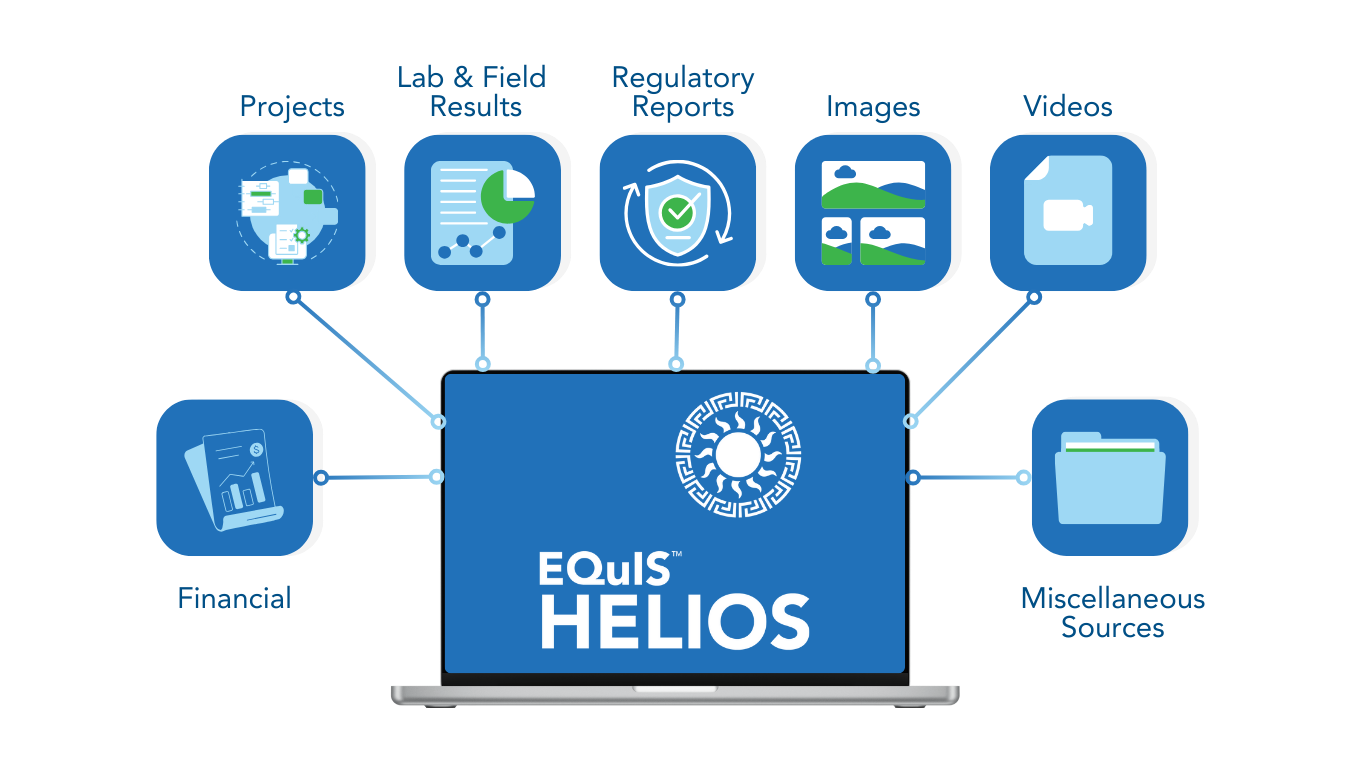
EQuIS Helios transforms how you manage unstructured data—such as PDFs, photos, and videos—by replacing the traditional EQuIS Schema DT file approach. Instead of embedding files in a rigid structure, Helios stores them in Azure Blob Storage and uses Microsoft Azure AI Services to automatically process, analyze, and extract insights from the content. With a simple drag-and-drop interface, you can upload hundreds of files and terabytes of data. Helios then summarizes, indexes, and extracts metadata—completing in minutes or hours what used to take days or even weeks. This streamlined, AI-powered workflow empowers you to securely manage, access, and gain insights from your unstructured data faster and more effectively than ever before. Unlock the power of your unstructured environmental and geotechnical data with the AI-powered EQuIS Helios.

Need more information?
Let’s Chat!
Schedule a demonstration to see how EQuIS Helios can centralize and optimize your environmental and geotechnical knowledge management workflows.
Frequently Asked Questions
What is EQuIS Helios?
Does EQuIS Helios integrate with other databases and other potential data sources?
What is the level of integration of EQuIS Helios with the EQuIS Schema?
What tools does EQuIS Helios provide for document management?
How does EQuIS Helios enhance search efficiency?
EQuIS Helios utilizes Microsoft Azure AI Services to improve efficiency in processing and accessing data and documents.
What is the extent of the AI component?
- Azure AI Search: https://azure.microsoft.com/en-us/products/ai-services/ai-search
- Azure AI Language: https://azure.microsoft.com/en-us/products/ai-services/ai-language
- Azure AI Document Intelligence: https://azure.microsoft.com/en-us/products/ai-services/ai-document-intelligence
NOTE: Not all Azure AI Services are available in all Azure regions, so EQuIS Helios will be available in limited regions (and may or may not be deployed in the same Azure regions as EQuIS Enterprise).
What if my organization does not allow AI tools?
- Azure AI Search:
- Azure AI Language:
- Azure AI Document Intelligence
Can EQuIS Helios help with data privacy and security?
How does it work?
- Load data files into Helios:
- Option 1 – Use the built-in Explorer to locate and flag or drag and drop files.
- Option 2 – Microsoft ships Azure Data Box with return shipping instructions where files can be located, and use drag and drop to load.
- Files are indexed and metadata extracted (searchable at this point).
- Extract tabular data for use elsewhere; for example, the EQuIS Schema or reporting.
- Optional: Establish file folder structure for familiar browsing and navigation.
Can any data format be loaded into Helios?
Can Helios scan documents for data to load into EQuIS data tables?
Can I choose what to load into the EQuIS Schema?
Helios requires Microsoft Entra ID authentication, but my organization does not use Microsoft Entra ID authentication. How can I use Helios?
Solutions
Want to Learn More?
Explore EQuIS Environmental Data Management Workflows
Contact Us
125 S. Alcaniz St., Suite 2
Pensacola, FL 32502
800.649.8855
info@earthsoft.com
Subscribe to Our Mailing List
Stay informed about our upcoming events, news,
and more.